AI agent handoff

Give an AI agent this link

Use llms.txt as the universal starting file. It tells agents how RankReason is structured and points them to the compact agent index, ranking Markdown, product Markdown, Skill.md, WebMCP tools, and data limits.

https://rankreason.com/llms.txt
Open file

Best for product-ranking, review, and comparison tasks.

Product file

Xbox Wireless Controller

The familiar Windows default remains easy to pair, widely recognized by games, and comfortable, though newer rivals offer better sensors, extra controls, and feature value.

Brand
Microsoft
Model
Current Xbox Series generation
Category
Gaming Controllers
Updated
2026-08-20
Research process
AI-assisted source synthesis · Sources and conclusions checked before publication
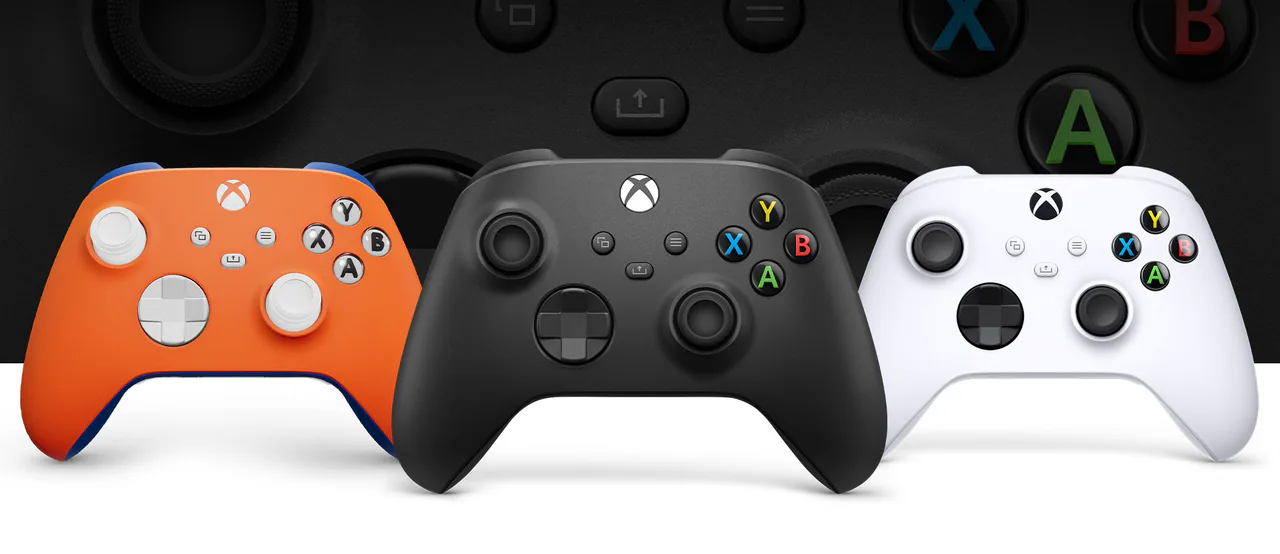
Xbox Wireless Controller
Image by Microsoft

Source-led product analysis

Product Assessment

Ranked #6 in Gaming Controllers · Score 86/100

Verdict

Buy it when compatibility and familiarity come first; look elsewhere for magnetic-sensing sticks, rear controls, an internal battery, or stronger feature value.

Full review

The current Xbox Wireless Controller supports Windows, Xbox Series X|S, and Xbox One. Windows can use USB, Bluetooth, or Xbox Wireless with the appropriate adapter, while Xbox consoles use Microsoft's native controller connection or cable. The same familiar asymmetrical layout carries across PC and console, and the Xbox Accessories app handles documented Windows mapping through a compatible cable.

Owners tend to value how little thought it requires: games recognize it, the grip is familiar, and switching between ordinary PC titles is painless. The tradeoff is that the design now looks conservative beside rivals with TMR or Hall-effect sticks, rear buttons, docks, and richer profiles. Stick and button longevity also remain recurring owner concerns, so its strongest argument is frictionless compatibility rather than advanced hardware.

Why it ranks here

Sixth place rewards unmatched Windows predictability but penalizes a conservative feature set and weaker owner confidence than the newer value leaders above it.

What stands out

  • Excellent Windows compatibility
  • Familiar ergonomics and broad game support
  • Simple setup across connection modes

Tradeoffs

  • Conservative feature set
  • Owner feedback raises stick and button longevity concerns

Who it is for

  • Plug-and-play Windows gaming
  • Players who prefer the familiar Xbox layout

Who should skip it

  • Buyers seeking magnetic-sensing sticks
  • Players who want rear controls or deep onboard profiles

Key Product Facts

Its asymmetrical sticks, hybrid directional pad, textured triggers and bumpers, and broad game recognition make it the least complicated Windows default.

Official specifications and PC-focused review coverage agree that familiarity and predictable compatibility are the design's central strengths.

Confidence: high · Updated 2026-08-20