Archive ranking

Best Handheld Game Consoles for May 2026

RankReason compares SteamOS, Nintendo, Windows, streaming, and retro handhelds by library fit, performance, display quality, battery life, software friction, and real buyer tradeoffs.

Published 2026-05-15 · Updated 2026-05-15 · Reviewed by RankReason Editorial Desk

See the current Handheld Game Consoles buying guide

How We Chose the Best Handheld Game Consoles

RankReason scored each researched handheld across ecosystem fit, local performance, display and controls, battery and portability, software usability, support confidence, owner themes, and segment fit. Official specifications and independent reviews carried the most weight, while owner/community themes shaped usability and reliability confidence when multiple signals pointed the same way.

Rank #1
Editorial score 91/100

Ranked first because it is the safest all-around PC-handheld recommendation: SteamOS keeps setup simple, the OLED model fixes the screen/battery/thermal feel of the original, and independent reviews consistently frame it as the most polished Steam-first handheld rather than the fastest box on paper.
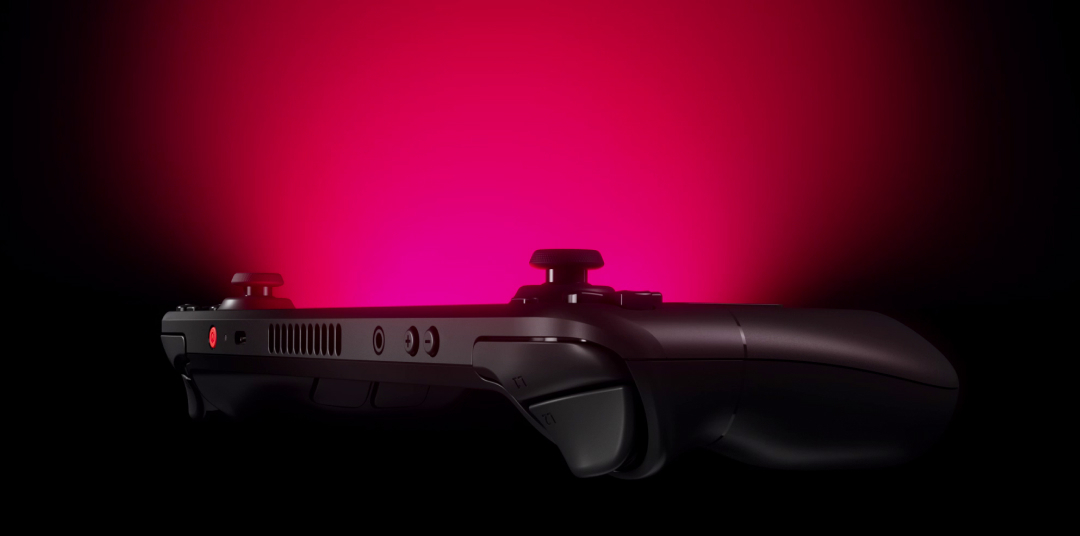
Valve Steam Deck OLED
Image by Valve

Editorial review

Our verdict after research

Steam Deck OLED wins this ranking by being the most complete Steam-first handheld, not by chasing the highest benchmark ceiling. The research points to a practical mix of SteamOS ease, OLED screen quality, stronger battery feel, quieter thermals, and a mature support ecosystem.

What works
  • SteamOS, suspend/resume, and verified/playable library guidance make it easier to live with than most Windows handhelds.
  • The OLED revision improves the screen, battery experience, wireless, thermals, and controls in ways owners feel every session.
  • Independent reviews and Valve documentation line up around a polished, well-supported handheld rather than a spec-sheet stunt.
What gives us pause
  • It is not a raw-speed upgrade for buyers chasing the newest AAA games at high settings.
  • Compatibility remains imperfect for some non-Steam launchers, anti-cheat titles, and Windows-first workflows.
  • The body is still large if the real need is pocketable retro play.

Verdict: Choose it if your library is mostly Steam and you value fewer setup chores more than peak Windows-handheld performance. It is the safest all-around recommendation for this category.

Best For
  • Steam-first PC gamers who want console-like handheld play
  • Couch and travel sessions where suspend/resume matters
  • Indie, older AAA, and verified/playable Steam library use
Tradeoffs
  • Not a raw-speed generational leap
  • Some PC games remain incompatible
  • Large compared with compact retro handhelds

Open Amazon affiliate link
Rank #2
Editorial score 90/100

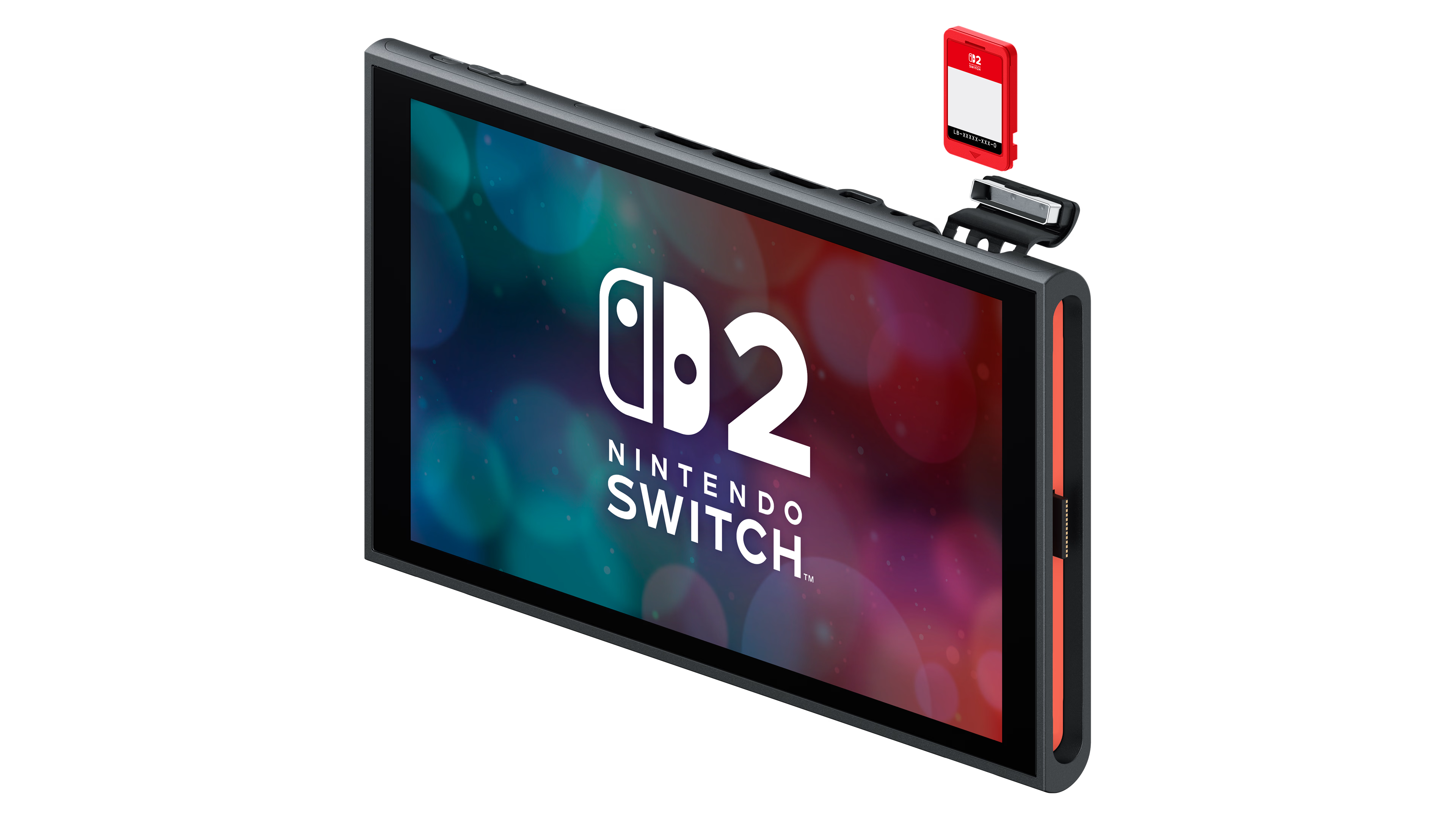
Ranked second as the best mainstream family console rather than the best PC handheld. Its Nintendo library, local multiplayer, docked/handheld flexibility, parental simplicity, and Switch compatibility make it the default for Nintendo-first households, while battery life and LCD display choice keep it just below Steam Deck OLED overall.

Nintendo Switch 2
Image by Nintendo

Editorial review

Our verdict after research

Switch 2 ranks this high because it solves a different buyer problem than the PC handhelds: simple Nintendo play across handheld, tabletop, and TV modes. The official specs and review evidence make the family-console case strong, while the battery and LCD choices keep it behind Steam Deck OLED overall.

What works
  • Nintendo exclusives, local multiplayer, and hybrid docked/handheld play make it the easiest mainstream family pick.
  • The 7.9-inch 1080p handheld screen, 4K dock output, and Switch compatibility modernize the original Switch formula.
  • The closed-console software experience is simpler for families than Windows launchers or PC tuning.
What gives us pause
  • Demanding games can shorten unplugged sessions, so it is not the battery leader in this field.
  • The LCD panel is sharp, but OLED-first shoppers may still prefer the Steam Deck OLED display experience.
  • It cannot match PC handhelds for storefront breadth, modding, or Windows game compatibility.

Verdict: Buy Switch 2 for Nintendo games, local multiplayer, and family simplicity. Skip it if your priority is PC library access or the most flexible handheld hardware.

Best For
  • Families and Nintendo-first households
  • Local multiplayer and TV/handheld hybrid play
  • Players who value Nintendo exclusives over PC storefront breadth
Tradeoffs
  • Demanding games can drain the battery quickly
  • LCD rather than OLED
  • Less flexible than PC handhelds
Open Amazon affiliate link
Rank #3
Editorial score 88/100

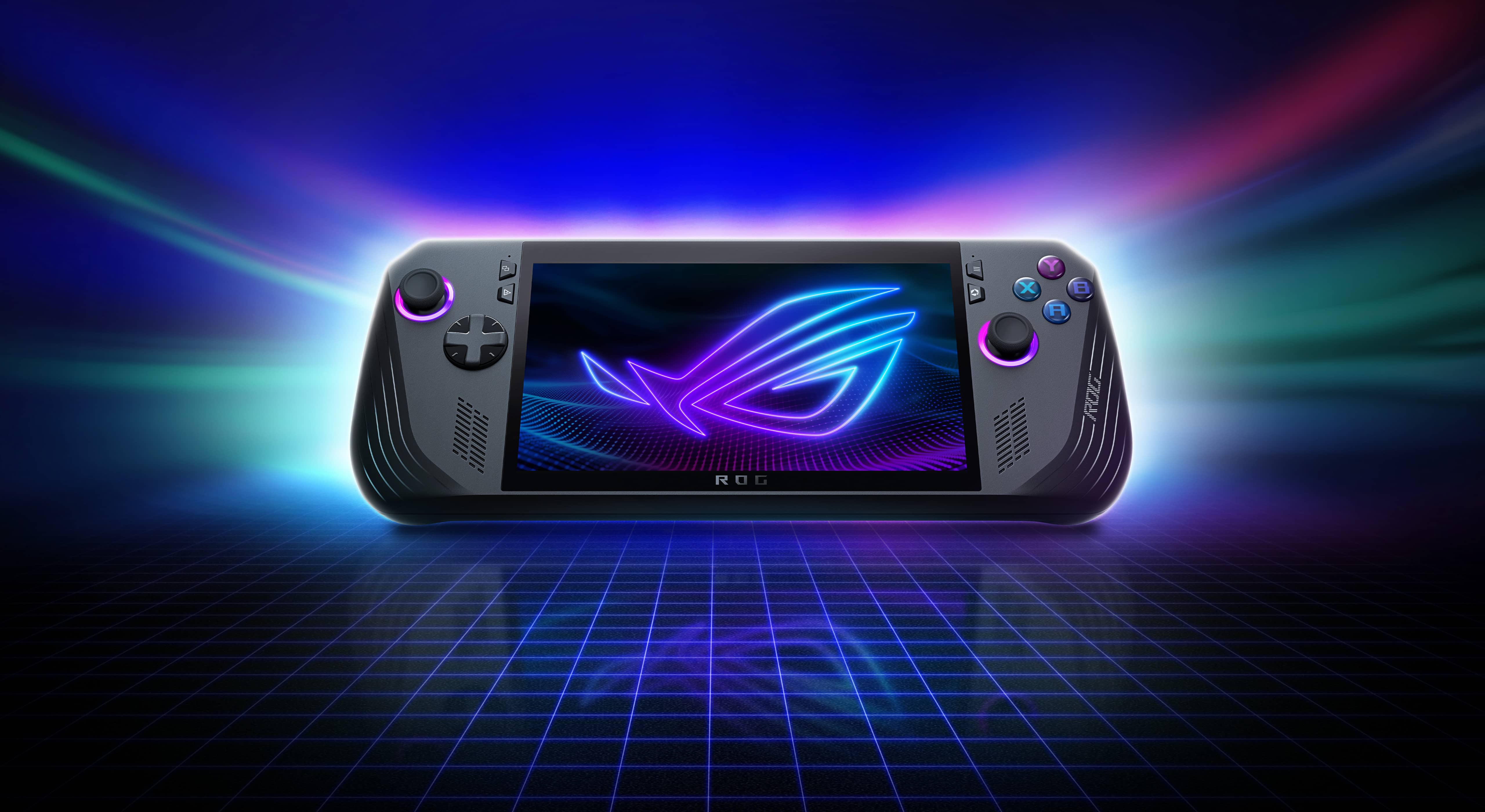
Ranked third as the strongest premium Windows/Xbox handheld. It combines Ryzen AI Z2 Extreme hardware, 24GB memory, an 80Wh battery, broad PC storefront access, and better controller-first Xbox software than older Windows handhelds, but Windows still stops it from feeling as effortless as SteamOS or Nintendo.

ASUS ROG Xbox Ally X
Image by ASUS ROG

Editorial review

Our verdict after research

ROG Xbox Ally X is the premium Windows/Xbox answer for players who want Game Pass, multiple PC storefronts, and stronger local performance in one handheld. Its hardware case is compelling, but the ranking keeps Windows friction and the less cinematic screen in view.

What works
  • Ryzen AI Z2 Extreme hardware, 24GB memory, and an 80Wh battery give it the strongest premium Windows-handheld profile here.
  • Xbox-style grips and the controller-first software layer make it friendlier than older Windows handheld designs.
  • Broad PC storefront access is a real advantage for Game Pass and multi-launcher players.
What gives us pause
  • Windows still asks for more tolerance than SteamOS or Nintendo when updates, launchers, and settings get involved.
  • The premium positioning makes it harder to recommend for shoppers who do not need top local PC performance.
  • The 7-inch LCD is less immersive than larger or OLED-equipped rivals.

Verdict: Pick it when Game Pass, Windows compatibility, and high local performance matter most. Steam-first and plug-and-play shoppers are still better served by simpler platforms.

Best For
  • Game Pass and multi-store PC players
  • Premium Windows handheld buyers wanting high local performance
  • Players who prefer Xbox-style grips over minimum size
Tradeoffs
  • Premium slot
  • Windows software remains less console-like
  • 7-inch LCD is less cinematic than larger OLED rivals
Open Amazon affiliate link
Rank #4

ASUS ROG

ASUS ROG Ally X

Editorial score 86/100

Ranked fourth as the established Windows value/performance benchmark. The 80Wh battery, VRR display, 24GB memory, stronger ergonomics, and broad launcher support still make it easier to recommend than many Windows handhelds, though the newer Xbox Ally X and large-screen models now outshine it in specific premium lanes.

ASUS ROG Ally X
Image by ASUS ROG

Editorial review

Our verdict after research

ROG Ally X remains the established Windows handheld benchmark for players who want broad PC launcher access without jumping to the newest premium tier. Its 80Wh battery, 120Hz VRR screen, 24GB memory, and improved ergonomics still make it one of the easiest Windows models to justify.

What works
  • Broad Windows launcher support makes it a strong fit for Steam, Game Pass, Epic, GOG, mods, and mixed PC libraries.
  • The 80Wh battery, 120Hz VRR display, stronger cooling, and improved grips address many first-generation Windows-handheld complaints.
  • It has enough performance and community familiarity to feel like a known quantity next to newer, more specialized rivals.
What gives us pause
  • Windows setup, updates, and sleep/wake behavior still make it less console-like than SteamOS or Nintendo.
  • The LCD panel is smooth, but OLED-first shoppers have better display-led options.
  • Newer Z2 and Lunar Lake handhelds now beat it in specific premium lanes.

Verdict: Choose ROG Ally X if you want a proven Windows handheld with strong battery life and broad PC compatibility. Skip it if you mostly play Steam games and want the least setup friction.

Best For
  • Windows PC gamers using Steam, Game Pass, Epic, GOG, or mods
  • Players prioritizing VRR smoothness and high handheld performance
  • Buyers willing to manage Windows for broader compatibility
Tradeoffs
  • Windows setup and sleep friction
  • No OLED display
  • Older than the newest Z2/Lunar Lake rivals
Open Amazon affiliate link
Rank #5
Editorial score 84/100

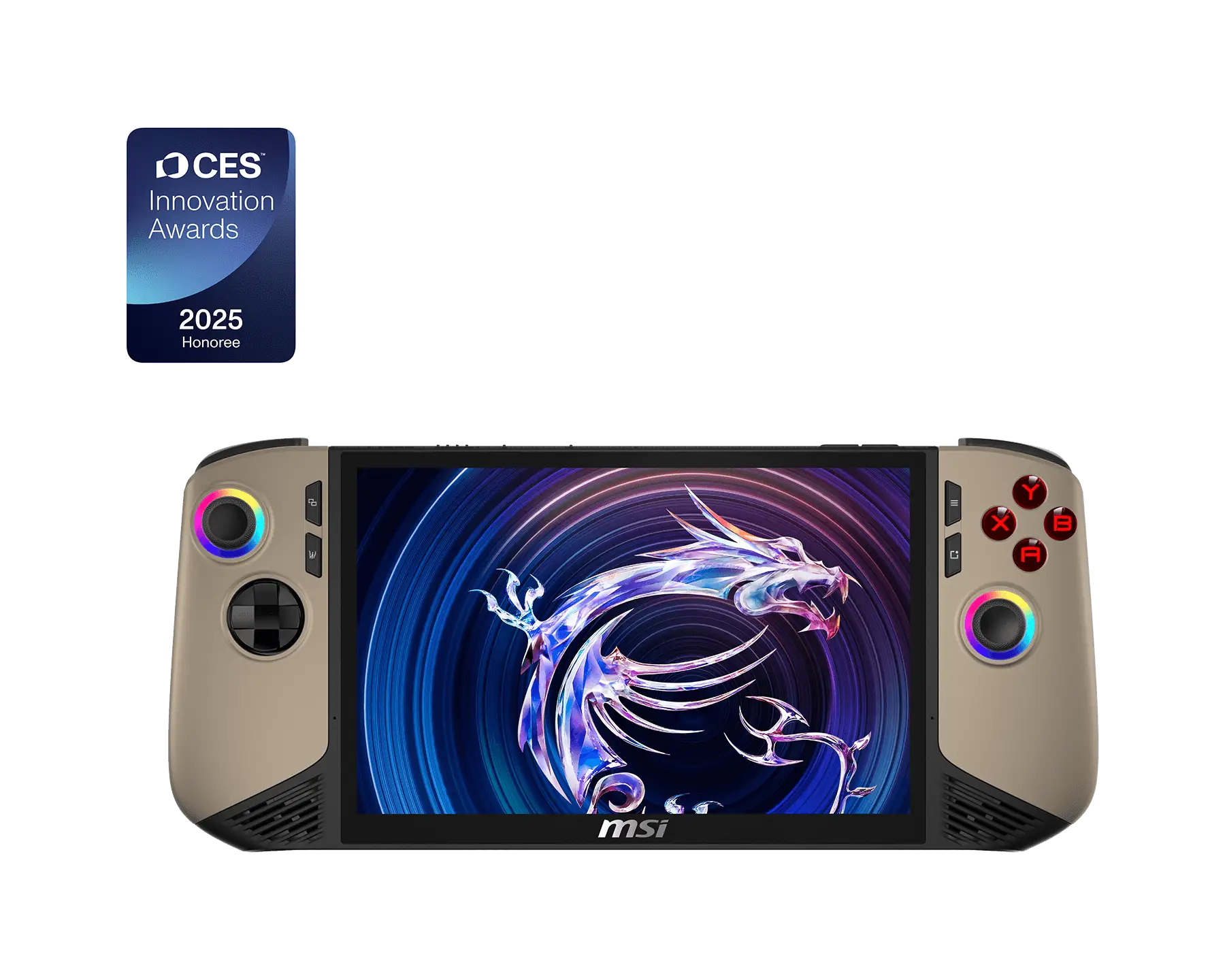
Ranked fifth because MSI finally has a credible premium handheld: strong Intel Lunar Lake performance, 32GB memory, 80Wh battery, an 8-inch 120Hz VRR display, dual Thunderbolt 4, and Wi-Fi 7. It is a serious Windows alternative, but no touchpad, IPS-not-OLED display, and MSI Center/Windows quirks keep it behind the ROG leaders.

MSI Claw 8 AI+
Image by MSI

Editorial review

Our verdict after research

MSI Claw 8 AI+ earns its place by turning MSI's handheld story into a credible premium alternative. The appeal is straightforward hardware: strong Intel Lunar Lake performance, an 80Wh battery, an 8-inch 120Hz VRR screen, dual Thunderbolt 4, and Wi-Fi 7.

What works
  • The 8-inch 120Hz VRR display, 80Wh battery, and 32GB memory give it a serious Windows-handheld foundation.
  • Dual Thunderbolt 4 and Wi-Fi 7 make it especially appealing for buyers who care about docking and modern connectivity.
  • It is a simpler one-piece alternative to the Legion Go 2 for players who still want a larger-than-7-inch screen.
What gives us pause
  • There is no touchpad, which matters when Windows navigation gets fiddly.
  • Windows and MSI Center quirks remain part of the ownership bargain.
  • The IPS display is capable, but buyers chasing OLED contrast or HDR should look elsewhere.

Verdict: Pick the Claw 8 AI+ if you want a modern, large-screen Windows handheld with strong connectivity. It is less compelling for OLED shoppers or anyone who depends on touchpad-style control.

Best For
  • Windows handheld buyers wanting an 8-inch display and modern connectivity
  • Players who value dual Thunderbolt 4 docking flexibility
  • Buyers wanting a simpler one-piece alternative to Legion Go 2
Tradeoffs
  • No touchpad
  • Windows and MSI software quirks
  • IPS display rather than OLED
Open Amazon affiliate link
Rank #6
Editorial score 83/100

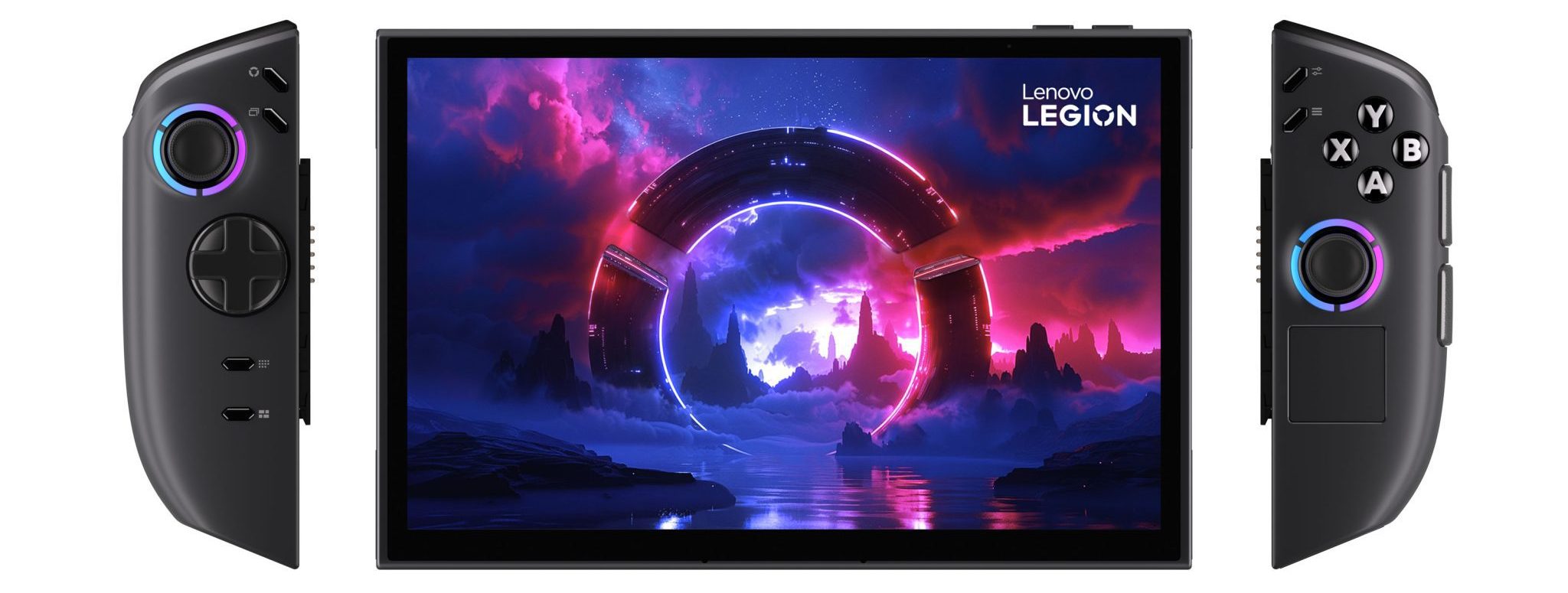
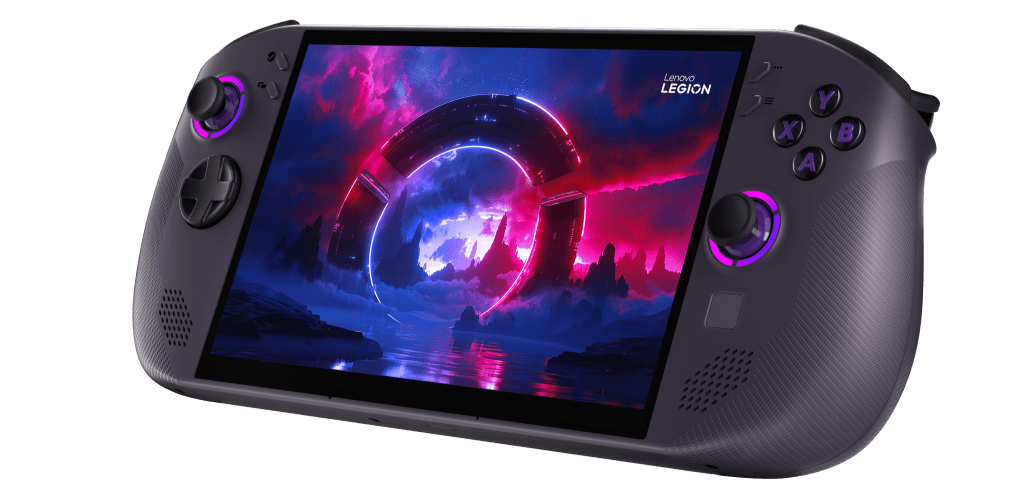
Ranked sixth for shoppers who want the biggest, most versatile PC handheld more than the easiest one. The 8.8-inch OLED, detachable controllers, kickstand, and Z2 Extreme configuration are uniquely flexible, but bulk, cost, Windows sleep/reliability friction, and SKU-status caution make it a specialist premium pick.

Lenovo Legion Go 2
Image by Lenovo

Editorial review

Our verdict after research

Legion Go 2 is the screen-and-versatility specialist in this ranking. Its 8.8-inch OLED VRR display, detachable controllers, kickstand, and strong Z2 Extreme configuration make it unusually flexible, but that flexibility comes with bulk and Windows complexity.

What works
  • The 8.8-inch OLED VRR display is the clearest reason to choose it over smaller PC handhelds.
  • Detachable controllers and a kickstand make it useful for tabletop play, external-display setups, and mini-PC-style use.
  • The Z2 Extreme configuration gives it the performance headroom expected from a premium Windows handheld.
What gives us pause
  • It is big and heavy, so long handheld sessions and small-bag travel are less natural fits.
  • Windows rough edges still undercut the console-like simplicity of SteamOS and Nintendo devices.
  • The premium positioning is harder to defend if you do not need the OLED size or detachable-controller modes.

Verdict: Buy Legion Go 2 for the biggest PC-handheld screen and flexible play modes. Choose a simpler one-piece handheld if portability, value, or low-friction software matters more.

Best For
  • Buyers wanting the biggest OLED screen in a PC handheld
  • Tabletop, kickstand, mini-PC, or external-display modes
  • Premium shoppers willing to carry a larger device
Tradeoffs
  • Big and heavy
  • Windows rough edges
  • Premium value risk
Open Amazon affiliate link
Rank #7
Editorial score 82/100

Ranked seventh as the most interesting SteamOS challenger. It offers a larger 8-inch 120Hz/VRR screen and Z1 Extreme hardware while keeping SteamOS usability, but a smaller 55.5Wh battery, lighter review depth, and current-SKU caution leave Steam Deck OLED as the steadier Steam-first pick.

Lenovo Legion Go S Powered by SteamOS (Z1 Extreme)
Image by Lenovo

Editorial review

Our verdict after research

Legion Go S Powered by SteamOS is the most interesting Steam Deck challenger here because it keeps SteamOS usability while adding an 8-inch 120Hz VRR screen and Z1 Extreme hardware. It ranks below Steam Deck OLED because battery capacity, review depth, and current-SKU confidence are not as reassuring.

What works
  • SteamOS gives it a cleaner handheld experience than typical Windows devices.
  • The 8-inch 120Hz VRR display and Z1 Extreme configuration make it attractive for Steam-first players who want a larger, performance-oriented setup.
  • Official Lenovo SteamOS support resources make it feel more credible than an unofficial software experiment.
What gives us pause
  • The 55.5Wh battery is modest next to 80Wh Windows rivals.
  • The available review depth is lighter than for the Steam Deck OLED or ROG Ally X.
  • Non-Steam storefronts and edge-case PC compatibility remain better fits for Windows handhelds.

Verdict: Choose it if you want SteamOS with a larger VRR display and can accept battery tradeoffs. Steam Deck OLED is still the steadier default for most Steam-first buyers.

Best For
  • Steam-first buyers wanting a larger 8-inch VRR screen
  • Players who dislike Windows setup friction
  • Tinker-light users with mostly Steam-compatible libraries
Tradeoffs
  • Battery is modest versus 80Wh rivals
  • Fewer independent reviews in this packet
  • Less flexible than Windows for non-Steam games
Open Amazon affiliate link
Rank #8

Sony Interactive Entertainment

PlayStation Portal Remote Player

Editorial score 78/100

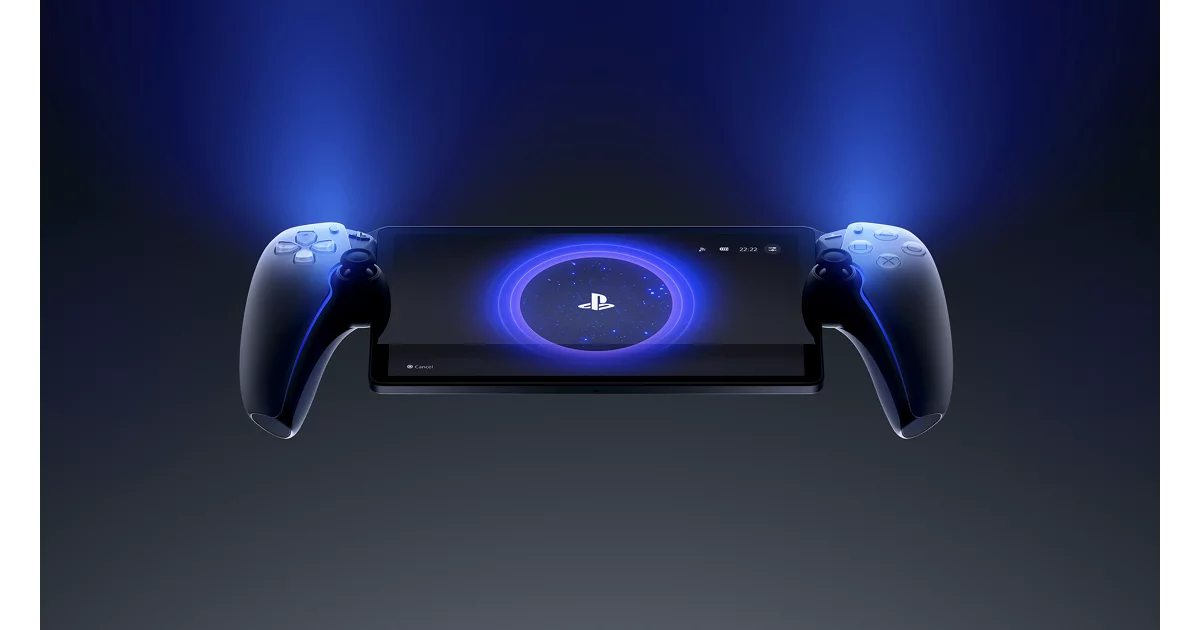
Ranked eighth because it is excellent at one job: giving PS5 owners a comfortable second-screen handheld. The screen and DualSense-style controls beat phone-controller setups, but it is not a standalone console, and network/host-console conditions define the experience.

PlayStation Portal Remote Player
Image by Sony Interactive Entertainment

Editorial review

Our verdict after research

PlayStation Portal ranks because it is excellent at one specific job: giving active PS5 households a comfortable second-screen device. Its large display and DualSense-style controls make more sense than a phone-controller setup, as long as the buyer understands it is not a standalone console.

What works
  • It is a clear fit for PS5 owners who want couch, bed, or shared-TV play around the house.
  • The large screen and DualSense-style controls are more comfortable and cohesive than many phone-based remote-play setups.
  • For the intended household, the software path is simpler than managing a general-purpose Android or Windows handheld.
What gives us pause
  • It does not run local games, so it cannot replace a Switch, Steam Deck, or PC handheld.
  • Network quality, router behavior, and the PS5's state heavily shape the experience.
  • Its library path is much narrower than Android, Nintendo, or PC alternatives.

Verdict: Buy it as a PS5 companion, not as a general handheld console. It makes sense for shared-TV homes and much less sense for travel-first or standalone-play buyers.

Best For
  • PS5 owners who want couch, bed, or second-screen play
  • Families sharing a TV with an existing PS5
  • Players who want low setup burden for PlayStation remote play
Tradeoffs
  • Not a standalone handheld console
  • Experience depends on network and PS5 state
  • Narrower than Android or PC handhelds
Open Amazon affiliate link
Rank #9
Editorial score 77/100

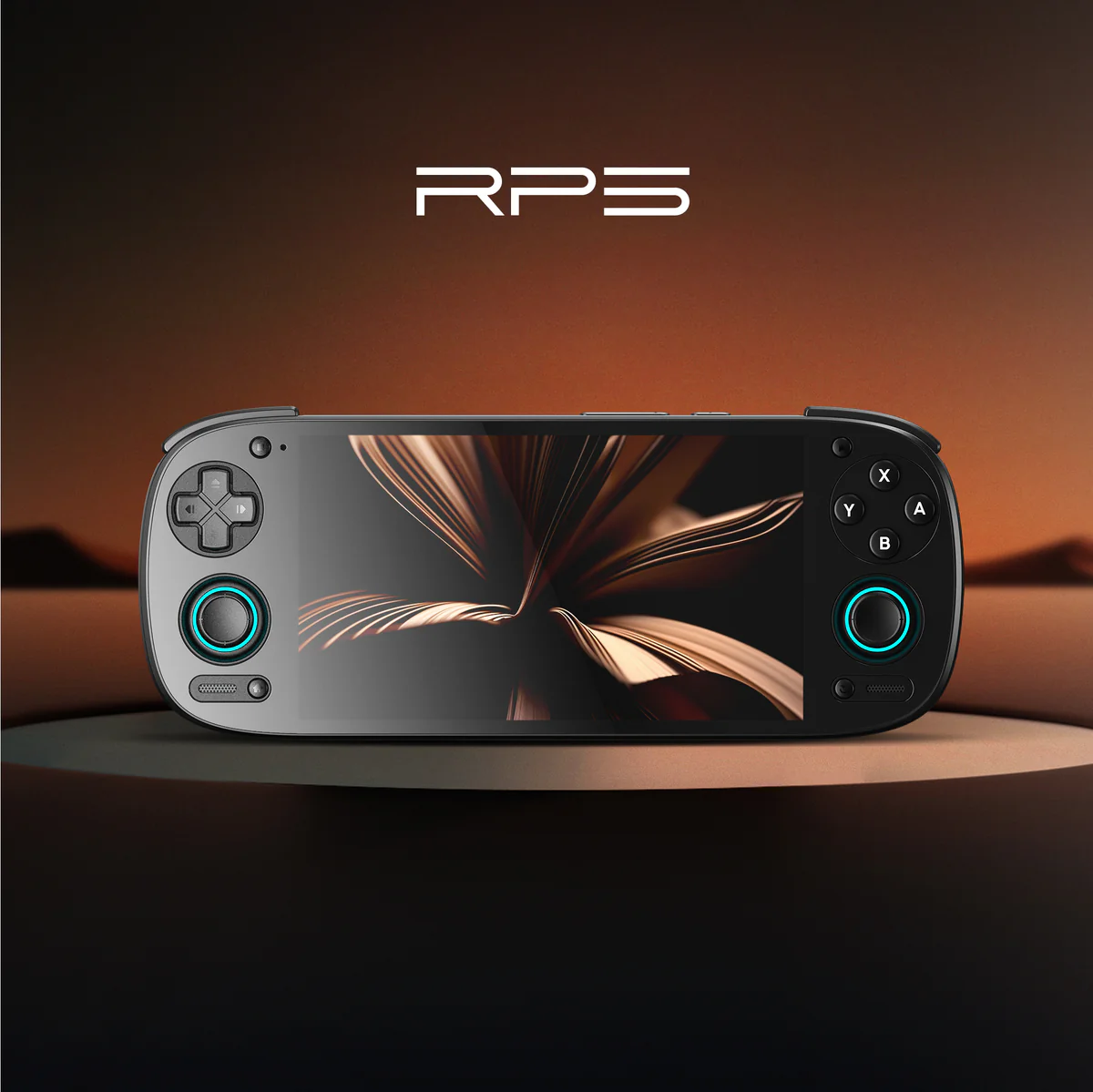
Ranked ninth as the safest compact Android/retro pick. It lacks the raw upside of newer Retroid or AYN hardware, but the AMOLED screen, mature community guidance, strong owner enthusiasm, and compact performance-per-dollar profile make it the better default than early-batch alternatives.

Retroid Pocket 5
Image by Retroid

Editorial review

Our verdict after research

Retroid Pocket 5 is the compact Android/retro pick because it balances AMOLED screen quality, active cooling, good controls, mature community guidance, and enough performance for a wide range of lawful retro libraries. It is not the newest power play, but it is the safer compact recommendation.

What works
  • The AMOLED screen, controls, and active cooling make it feel polished for a compact retro handheld.
  • Community guidance is mature enough to help enthusiasts get more from Android, emulators, and front ends.
  • Its size and performance profile fit buyers who want retro capability without moving up to a much larger device.
What gives us pause
  • Newer Retroid and AYN hardware has more raw upside for demanding Android and 3D emulation.
  • Setup, emulator configuration, and lawful game sourcing are still part of the experience.
  • Android is less plug-and-play than Nintendo, PlayStation Portal, or SteamOS for casual households.

Verdict: Pick Retroid Pocket 5 if you are comfortable setting up a compact Android retro handheld. It is not the right first choice for families or buyers who want games ready out of the box.

Best For
  • Retro enthusiasts wanting a polished compact Android handheld
  • Buyers who prefer mature setup guides over newest hardware
  • Users comfortable with emulator/front-end setup
Tradeoffs
  • Less powerful than newer Android handhelds
  • Setup and game-sourcing caveats remain
  • Android UX is less plug-and-play than consoles
Open Amazon affiliate link
Rank #10

Analogue

Analogue Pocket

Editorial score 75/100

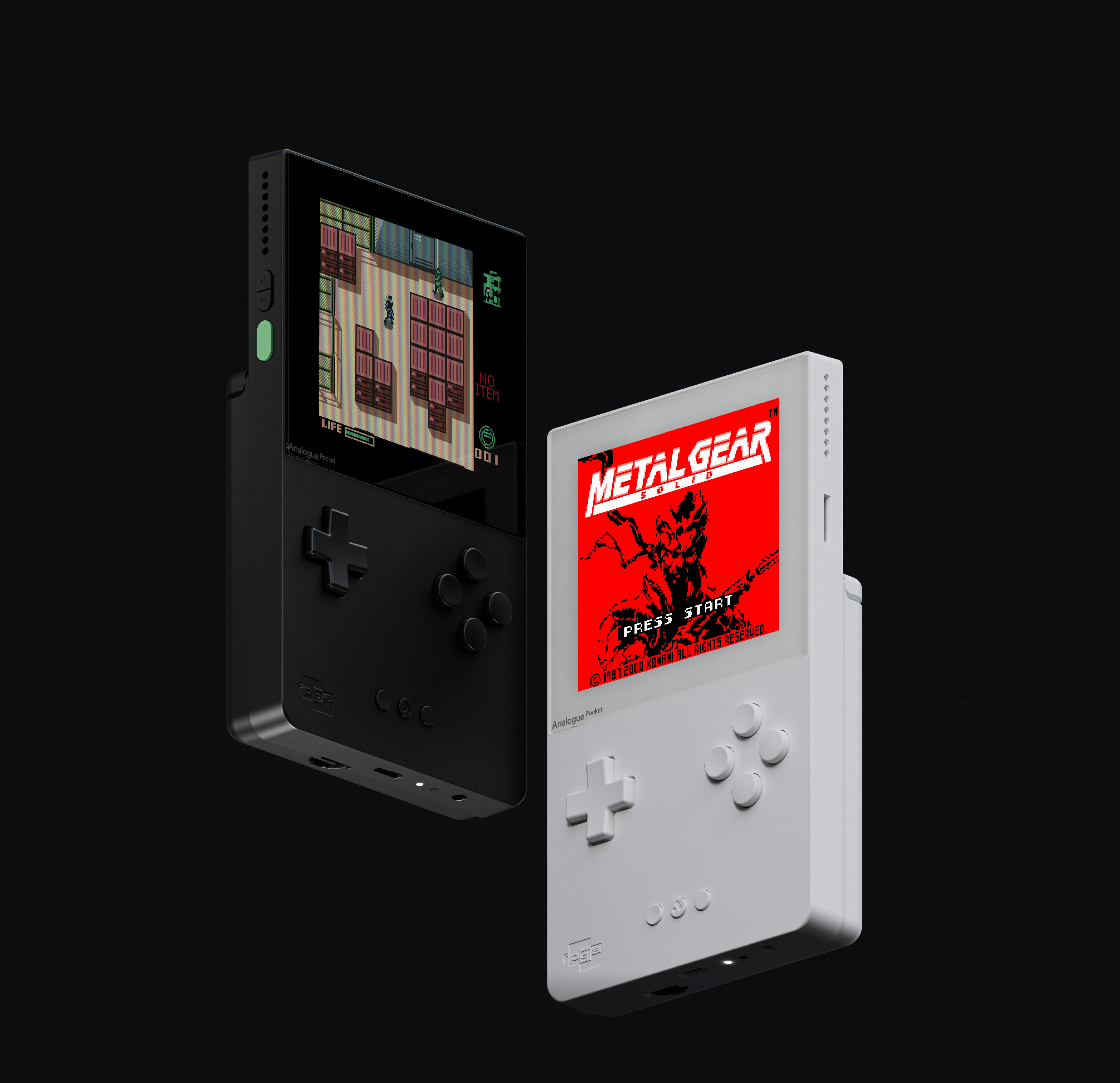
Ranked tenth as the specialist preservation pick. It is not a general-purpose emulation handheld, but original-cartridge support, FPGA positioning, a superb high-resolution display, and a distinct collector use case earn it a ranked slot over broader but less distinctive alternatives.

Analogue Pocket
Image by Analogue

Editorial review

Our verdict after research

Analogue Pocket is here as a specialist preservation handheld, not a broad emulation or PC-gaming device. Its original-cartridge focus, FPGA and openFPGA positioning, premium feel, and excellent high-resolution display make it distinct enough to earn a top-10 slot.

What works
  • It is the clearest fit for Game Boy, Game Boy Color, and Game Boy Advance cartridge collectors.
  • The high-resolution display and premium hardware make classic handheld games look and feel unusually refined.
  • FPGA and openFPGA workflows give preservation-minded buyers a different path than Android software emulation.
What gives us pause
  • The use case is narrow if you do not own cartridges or care about FPGA workflows.
  • Accessory timing, support cadence, and limited-edition availability can frustrate owners.
  • Budget retro handhelds cover more casual needs for less money and less collector focus.

Verdict: Choose Analogue Pocket for cartridge preservation and premium retro play. Skip it if you want a cheap ROM-focused handheld, a modern game store, or a general-purpose gaming device.

Best For
  • Game Boy, Game Boy Color, and GBA cartridge collectors
  • Preservation-minded retro players
  • Buyers who value FPGA/openFPGA workflows
Tradeoffs
  • Narrow use case
  • Accessory/support timing can frustrate owners
  • Higher cost than budget retro handhelds
Open Amazon affiliate link